Live map
Know the moment a guard leaves the site.
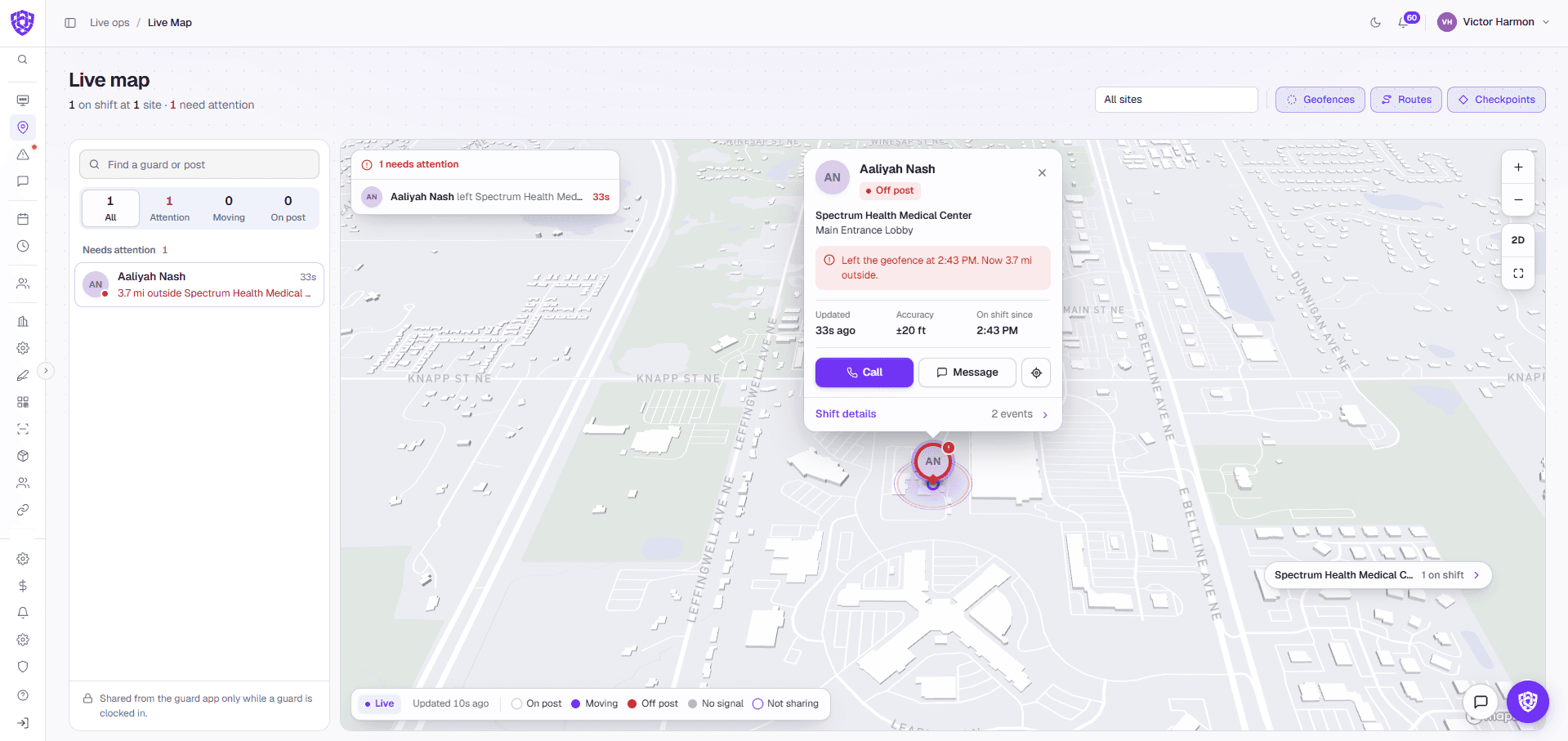
See every guard on post on one map. When someone walks out of a site's geofence, they're flagged right away with how far out they are, and Call is the first button.
No long-term contract · Cancel anytime
Why teams switch
You shouldn't hear it from the client first.
You hear a guard left the site from the client.
Leaving the geofence flags the guard red, with when they left and how far out they are.
You can't show where a guard was during a shift.
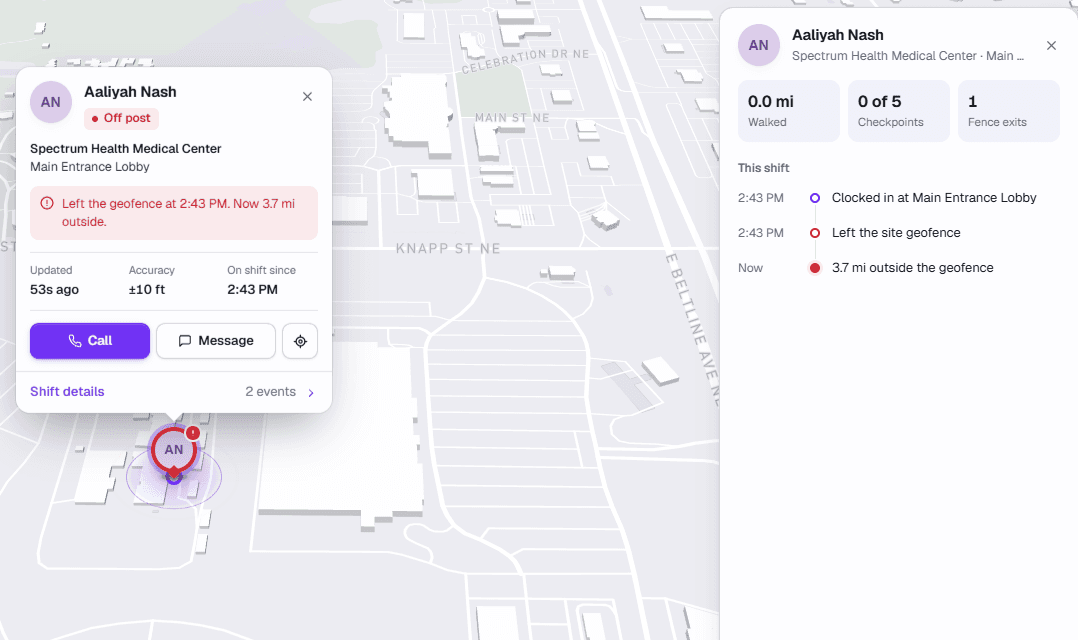
Each shift keeps a timeline: clock-in, geofence exits, checkpoints and distance walked.
Finding a guard means calling around.
Click any guard to call or message them from the map.
How it works
Every guard on post, on one map.
- 01Guards share their location from the app between clock-in and clock-out.
- 02The map shows everyone on duty, on post, moving or off post.
- 03Leaving a site's geofence raises an alert under Needs attention.
- 04Open the shift to see its timeline, or call the guard straight away.
One connected system
It doesn't work alone.
In your demo
What we'll show you, on your own sites.
- Your sites and their geofences
- A guard flagged off post
- One shift's timeline, from clock-in to now
- Calling a guard from the map
Common questions
Before you book.
Is location tracked when guards are off shift?
No. Location comes from the app between clock-in and clock-out, and it stops when they clock out.
What happens when a guard leaves the site?
They turn red on the map and show up under Needs attention, with when they left and how far out they are.
Does each site have its own geofence?
Yes. Each site has its own geofence, and the map shows them alongside routes and checkpoints.

 Your company