Scheduling
Cover every post without the 5 AM phone calls.
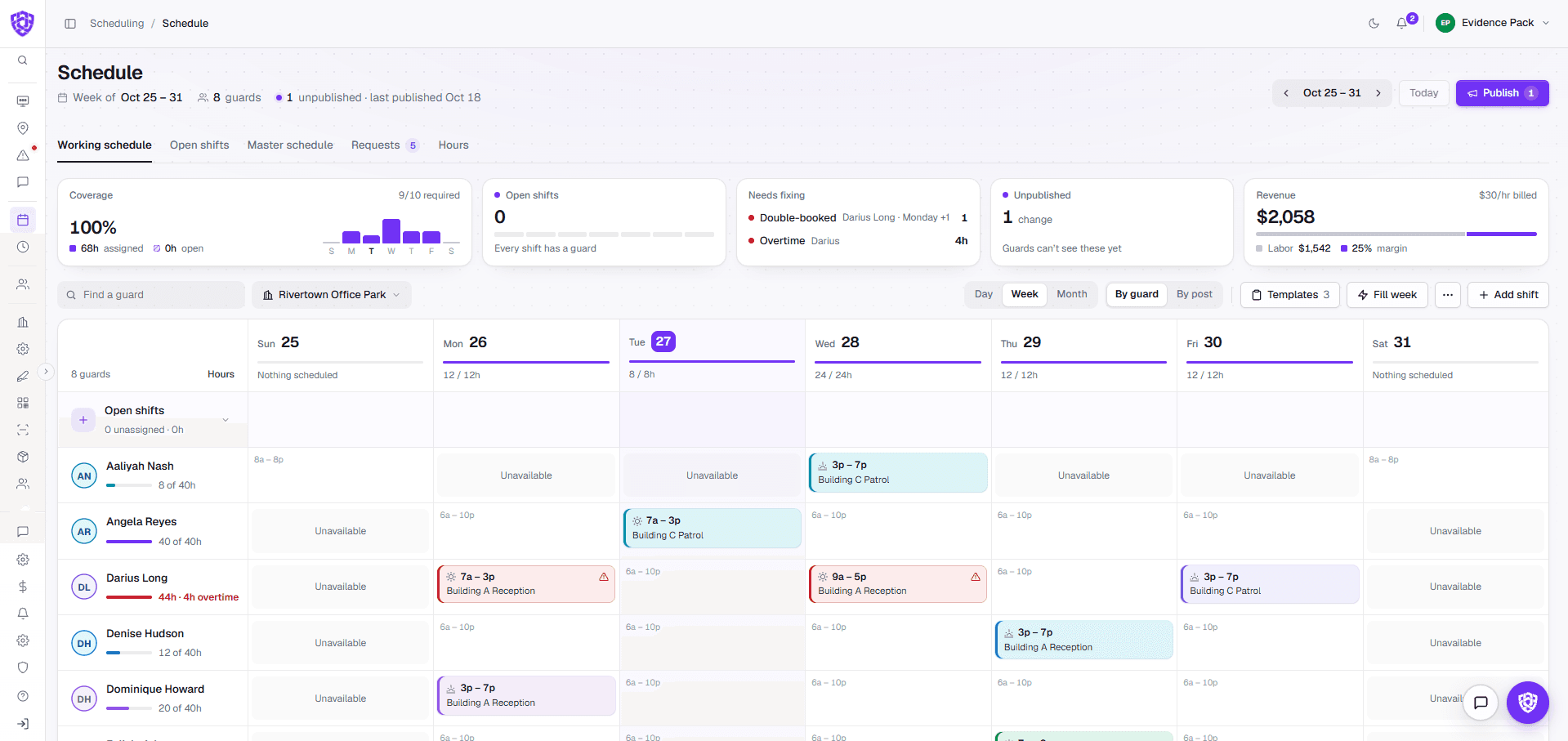
Build the week in minutes and publish it straight to every guard's phone. Overtime, double-bookings and short rest are flagged before you publish, not after payroll.
No long-term contract · Cancel anytime
Why teams switch
Coverage shouldn't depend on who answers their phone.
Call-offs land in a group text, and you fill them by phone.
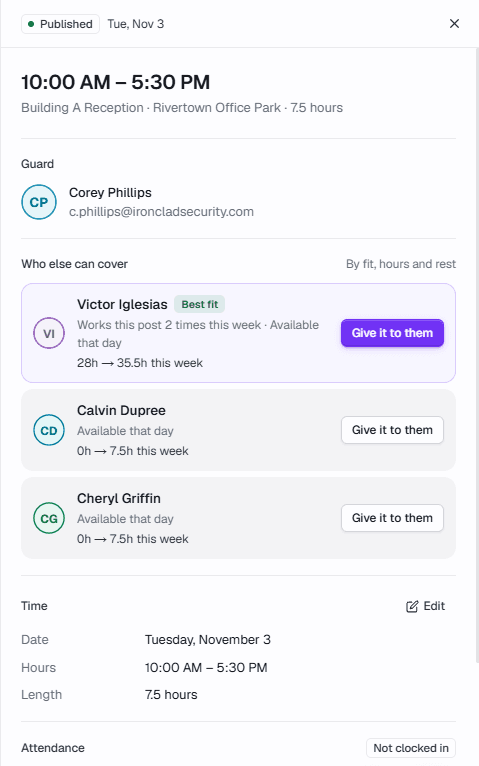
Open shifts go to the guard app to claim, with guards ranked by fit, hours and rest.
Overtime and double-bookings show up after payroll.
Overtime, double-bookings and short rest are flagged before you publish.
Time-off requests get lost in texts.
Time off and swaps land in one queue, showing what changes if you approve.
How it works
From an empty week to a covered one.
- 01Build the week from templates and each guard's availability.
- 02Publish it straight to every guard's phone.
- 03Click any shift to see who else can cover, ranked by fit, hours and rest.
- 04Auto-fill suggests a guard for each open shift. Nothing is assigned until you approve.
One connected system
It doesn't work alone.
In your demo
What we'll show you, on your own sites.
- Your posts and shift pattern built as a real week
- Overtime and double-bookings flagged before publishing
- An open shift filled from the guard app
- A time-off request and what it changes
Common questions
Before you book.
Can guards claim open shifts themselves?
Yes. Open shifts go out to the guard app, and nothing is assigned until a supervisor approves it.
Does overtime count across sites?
Yes. Hours from every site count toward a guard's week, and overtime after 40 hours is flagged before payroll.
Can I keep the shift pattern I run today?
Templates and fill week repeat a site's usual pattern, so you start from what you already run.

 Your company