Command Center
Start every day knowing what needs you.
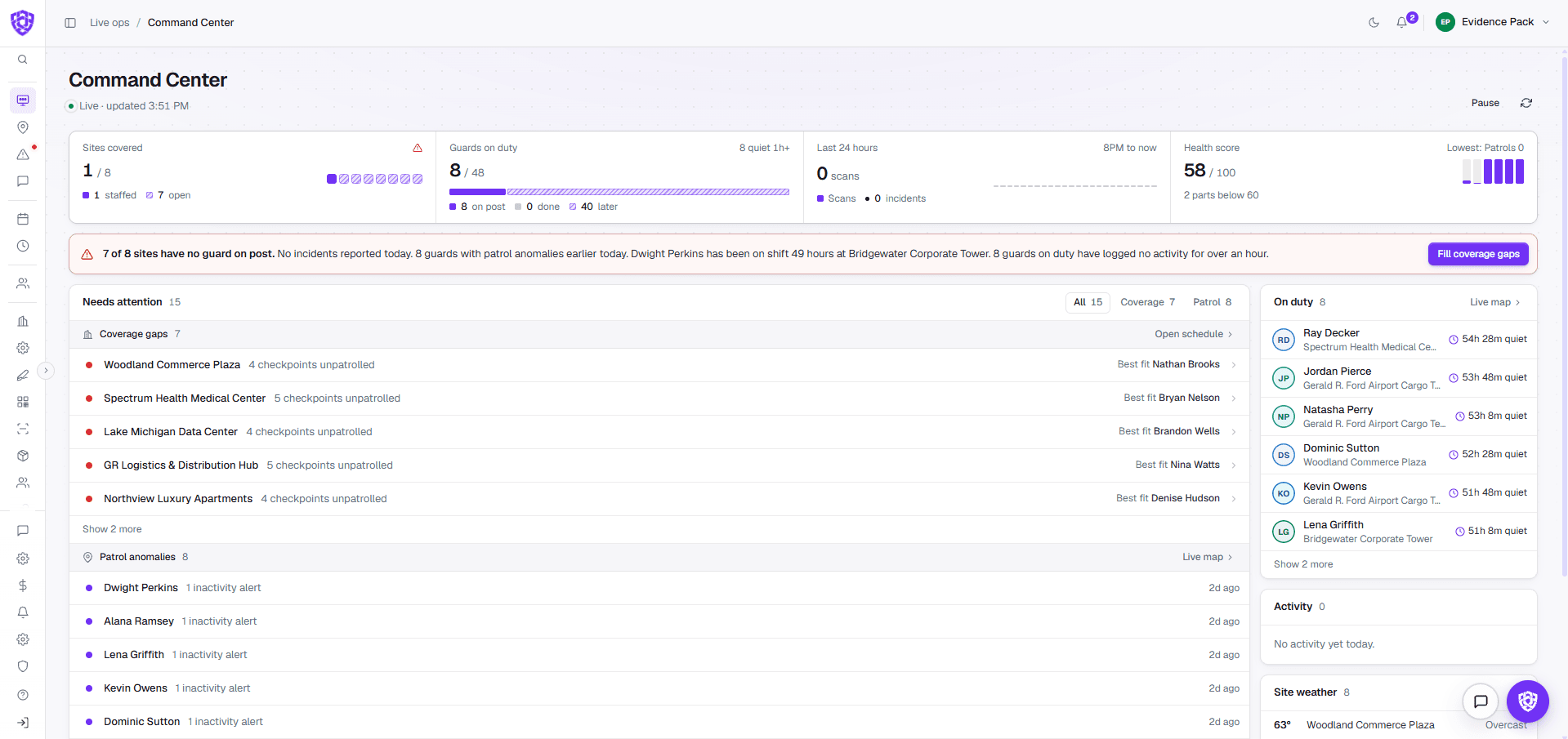
The Command Center shows which sites are covered, who's on post and what needs you right now, and it stays live while you work.
No long-term contract · Cancel anytime
Why teams switch
Your morning shouldn't start with phone calls.
You find out a post is empty when the client calls.
Coverage gaps sit at the top of the Command Center, with the best-fit guard to send.
A quiet guard goes unnoticed for hours.
Guards who haven't logged any activity are flagged, with how long they've been quiet.
Every question means opening five different tools.
Coverage, guards on duty, scans, incidents and a health score sit on one screen.
How it works
One screen, from the first shift to the last.
- 01See sites covered, guards on duty, the last 24 hours of scans and incidents, and a health score.
- 02A one-line summary says what's wrong right now, with a button to fill coverage gaps.
- 03Needs attention lists coverage gaps and patrol anomalies, each with what to do next.
- 04On duty shows every guard who's working and how long since their last activity.
One connected system
It doesn't work alone.
In your demo
What we'll show you, on your own sites.
- Your sites and today's coverage at a glance
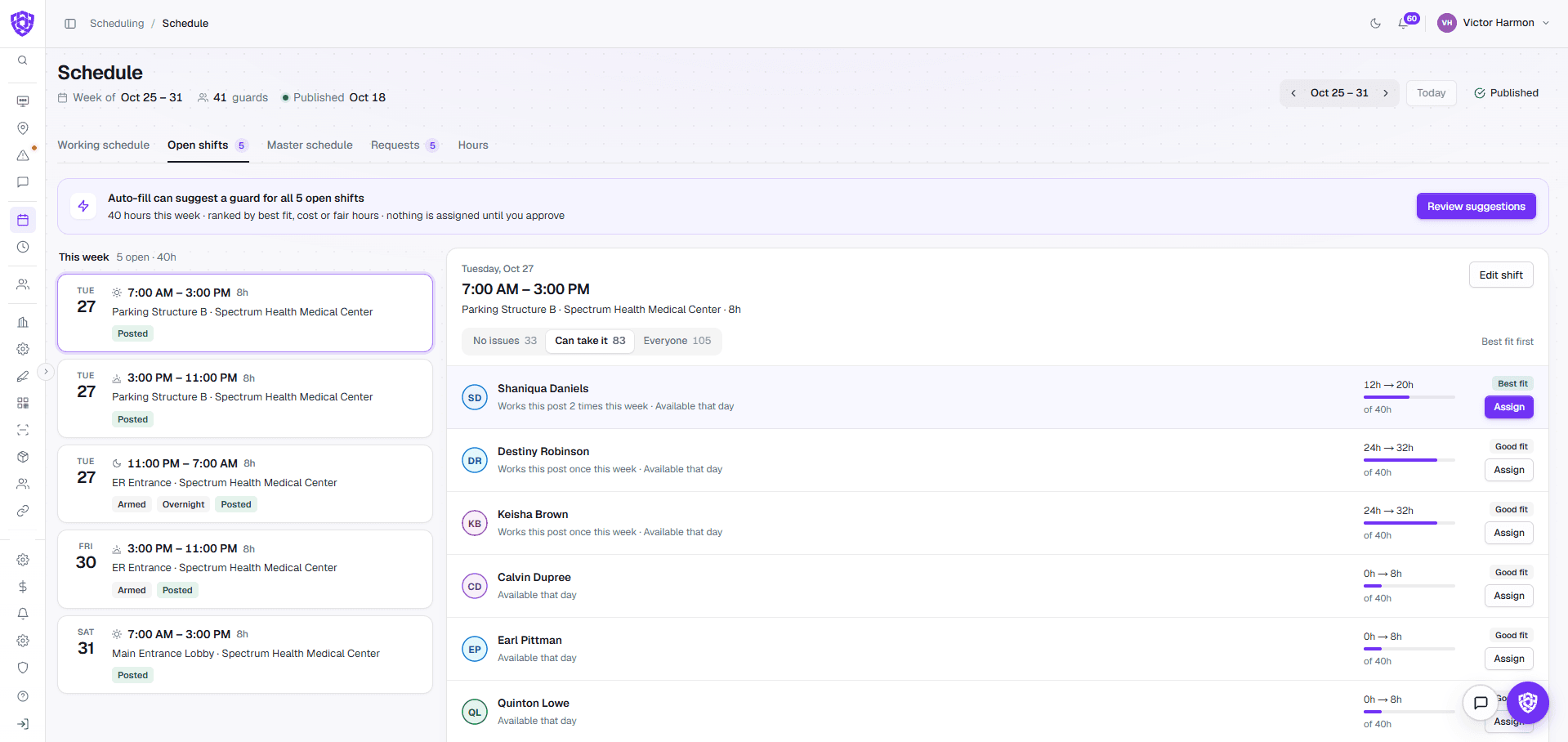
- A coverage gap with the best-fit guard to send
- Patrol anomalies and quiet guards flagged
- The health score and what's pulling it down
Common questions
Before you book.
Does it update on its own?
Yes. It's live, and you can pause updates while you work through a list.
What counts as needing attention?
Coverage gaps, like a post with no guard on it, and patrol anomalies, like unpatrolled checkpoints or a guard who has gone quiet.
Where does the data come from?
From the schedule, guard clock-ins, checkpoint scans and incident reports, so nobody has to type it in.

 Your company