Payroll & invoicing
Stop typing the same hours three times.
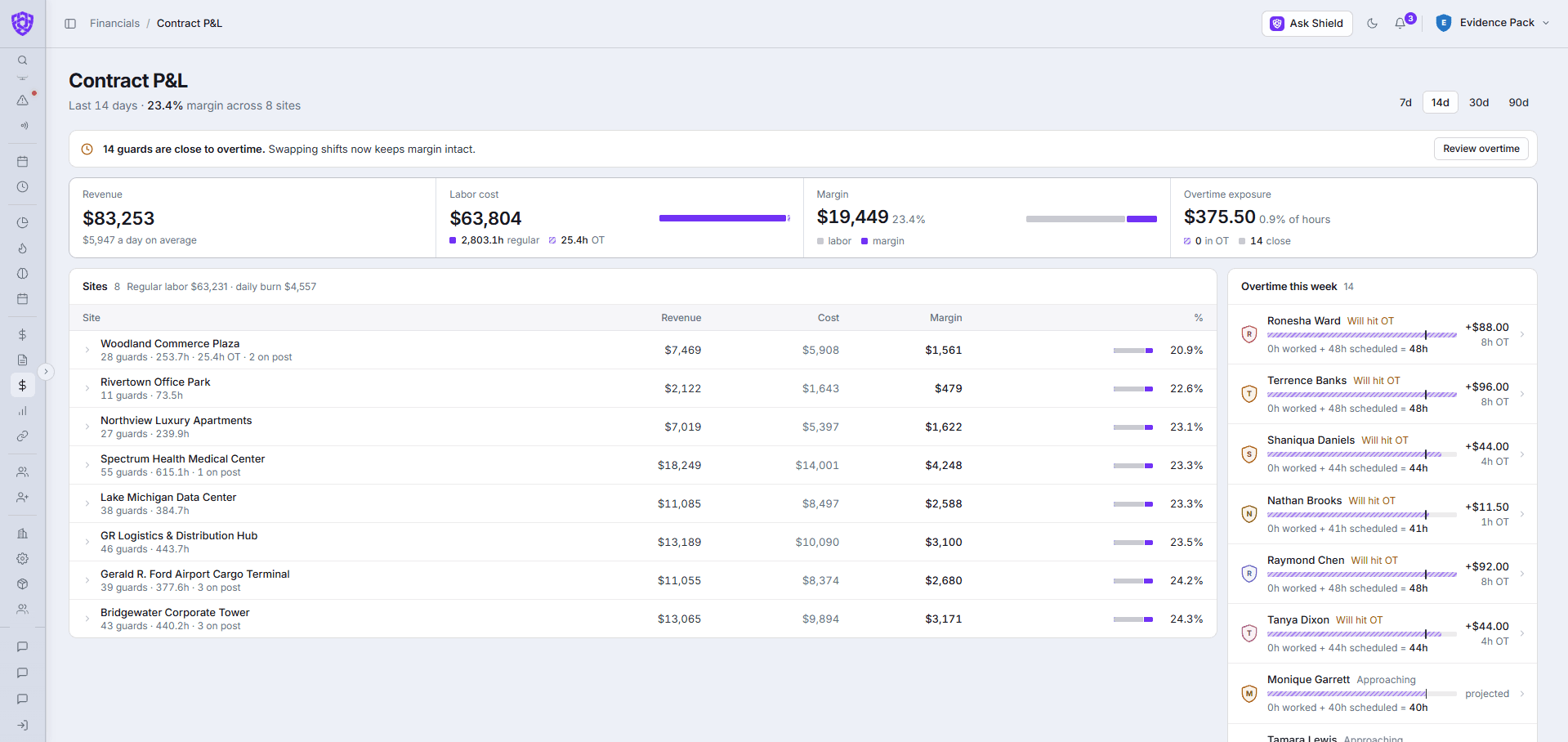
Approved shifts become payroll and draft invoices, so nothing gets typed in twice. And you see the margin on every contract, site by site, before the month is over.
No long-term contract · Cancel anytime
Why teams switch
The hours should only be entered once.
Timesheets don't match the invoice.
Payroll and invoices start from the same approved hours.
Overtime surprises you on payday.
Overtime and estimated pay show for each officer before payroll.
You find out a site lost money after the month is over.
Margin shows on every contract, site by site, as the month goes.
How it works
The hours do the rest.
- 01Supervisors approve timecards that were checked against the schedule.
- 02Pay is calculated, with any warnings to review before you submit, then exported for your payroll provider.
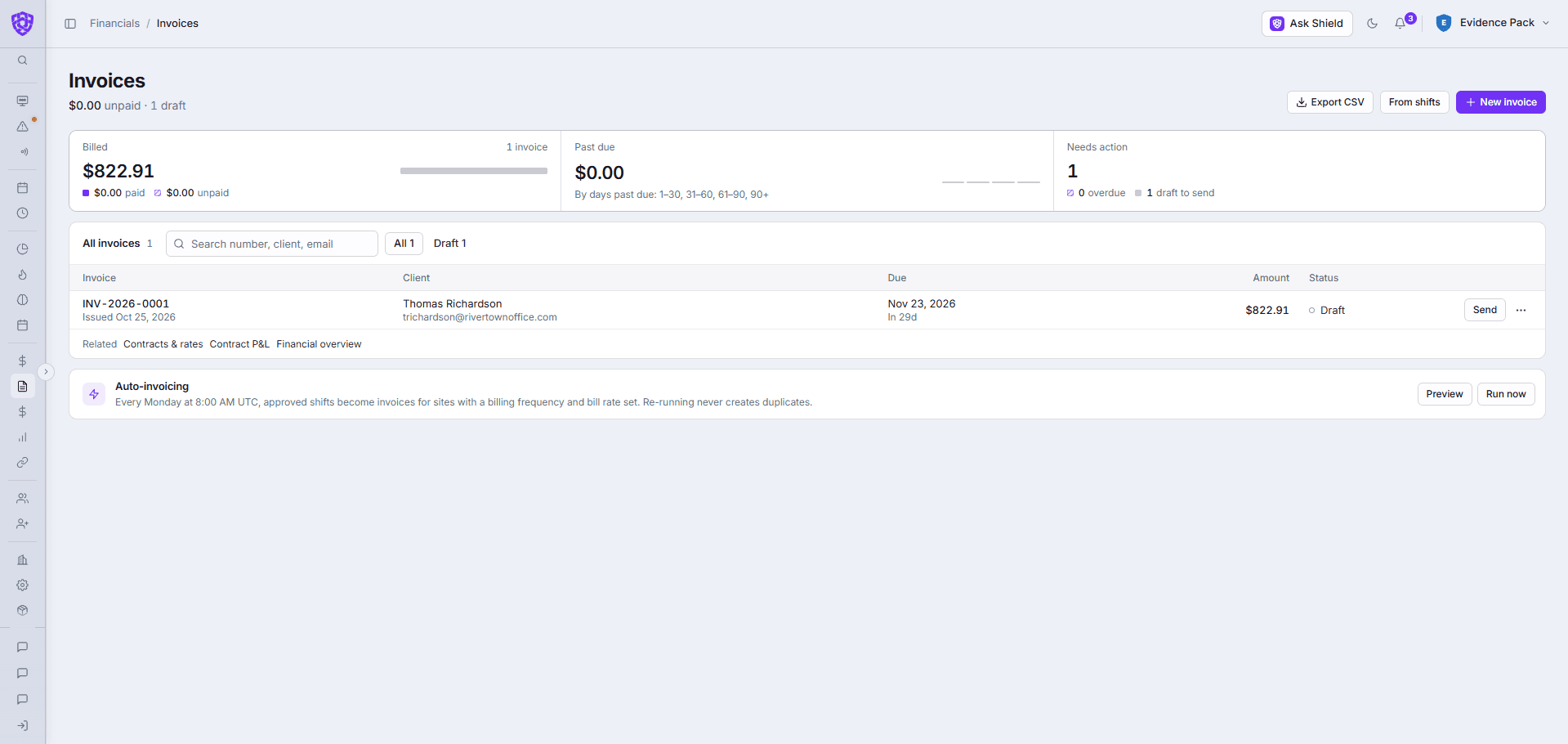
- 03Invoices are drafted from approved shifts, on a weekly run for sites with a bill rate set.
- 04Contract P&L shows revenue, labor cost and margin at each site.
One connected system
It doesn't work alone.
In your demo
What we'll show you, on your own sites.
- A week of approved hours becoming a payroll export
- A draft invoice built from those hours
- Margin on each of your contracts
- Overtime caught before payday
Common questions
Before you book.
Does it run payroll?
It calculates pay from approved hours and exports it for your payroll provider. It doesn't send payments.
Are invoices sent automatically?
Invoices are drafted from approved shifts for you to check and send.
Can I see margin by site?
Yes. Contract P&L shows revenue, labor cost and margin for every site.

 Your company